From idea to a paid app
An app that looks finished is not necessarily ready for customers. Follow the video’s stack and workflow with a concrete subscription example, visual explanations and tasks to try yourself.

In this guide
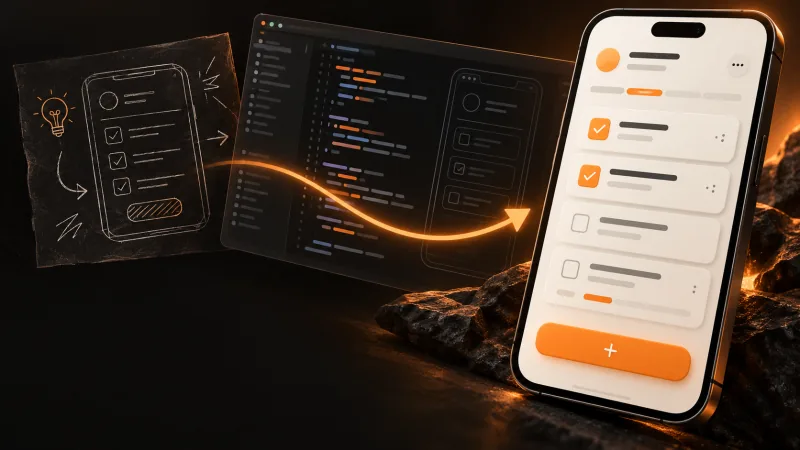
FROM VIDEO TO PRACTICE
The whole workflow. One step at a time.
The video gives the overview. Here you get actions, verification points and troubleshooting to follow the workflow. The example is fictional; illustrations contain no real accounts, purchases or usage.
- READING
- ~18 min
- VIDEO · NORWEGIAN
- 7:12
- EXAMPLE
- Subscription app
Allow several work sessions to build and verify your own app. Reading time is not a promise of a finished launch.
Before you start
Use a disposable practice folder, Git and a local runtime suitable for the project. You should be able to open it, read a diff and run documented commands. Start locally with fictional data; service accounts are needed only when you try their integrations.
Prompts are tasks for Codex, not ready-made terminal commands. Read the plan and changes before continuing. Never use real keys, personal data or money in practice.
Based on the published stack video. Technical verification points checked against primary sources on 4 October 2026.
1Define what “ready for customers” means
The video opens with the difference between an app that looks finished and one I am willing to charge for. A polished screen cannot prove that login, payments and access work together. Start with the outcome for the user.
Our fictional subscription app lets a signed-in user save project notes; an active subscription unlocks export. This learning example expands the subscription example in the video. It is not a product I claim to have launched.
One note. A useful export.
Save project decisions. Export with active access.
- Own notes
- Create and read
- Same app identity
- Server unlocks export
- Describe the audience, the task and why someone would use the app.
- Scope one journey: registration → first note → test payment → export access.
- Specify abandoned checkout, failed renewal and expired subscription behavior.
In a new disposable local practice project: Help specify a fictional subscription notes app. Users can save their own notes and export them with active access. Ask about the problem first, then write testable acceptance criteria for purchase, abandonment, failed renewal and expired access. Do not create accounts or connect real services.A short product brief and observable acceptance criteria, rather than a vague claim that payments work.
What if I do not know what people will pay for?
Talk to a potential user and watch them try the main task before building the rest. A subscription demo does not establish willingness to pay. Narrow the scope to a problem you can describe in one sentence.
2Turn the plan into small, testable tasks
I use Notion for the product brief, requirements and decisions. Linear tracks tasks, bugs and completion criteria. The document explains why; the issue describes the next specific change.
Split “add payments” into creating test checkout, receiving payment events, storing access status and enforcing access on the server. Give each task a clear completion criterion. Other tools can serve these same roles.
Subscription export
Who gets access? When does it expire?
Check export access
Done when expired access is denied on the server.
- Create one product document with the journey, scope and decisions.
- Create a task per focused behavior, including expected results and failures.
- Link tasks to requirements and record new decisions in the product document.
Use the practice project brief. Split the first journey into small tasks with a problem, scope, acceptance criteria and relevant verification. Mark dependencies. Return the text locally; do not write to Notion or Linear or implement yet.A prioritized task list showing what comes first and how each change will be verified.
The tasks are still too large?
Split by behavior, not just pages. “Export access ends when entitlement expires” is testable. “Build the subscription dashboard” bundles too many decisions.
3Build one change with Codex
Codex is my workspace. OpenCodex lets me choose other models in that workspace; setup has its own guide. Model selection cannot replace clear requirements and verification.
In my web stack, React builds the interface, Next.js handles pages and server functionality, and TypeScript catches many development-time type errors. TypeScript does not automatically validate data from users or services. Check input on the server before saving it.
// Illustrated responsibilities, not runnable code
React      → interface
Next.js    → pages + server
TypeScript → development-time types
validate() → runtime input checks- Open the practice project and ask Codex to read its structure and working rules first.
- Start with creating and displaying a note using fictional data. Agree on the scope.
- Run it locally, try empty and invalid input, and inspect the actual changes.
Read the practice project and propose the smallest change to create and display a note. Identify affected files and runtime input validation. Implement only this change once the plan is agreed. Use fictional data and local storage or a disposable test database. Do not deploy or connect production. Report what was actually verified.One focused feature you have tried locally, with validation and an understandable code change.
The app runs and the model says it is finished?
Ask for evidence: What ran? What invalid input was tried? Which files changed? A chat response or passing type check cannot establish that the whole journey works.
4Give each change a branch and pull request
My code lives in GitHub with a GitLab backup. A branch isolates the change; a pull request exposes the difference before it reaches main. A backup replaces neither review nor a working recovery process.
Write a PR for the scoped feature. Explain the problem, the resulting behavior and the verification. Inspect the diff for unrelated files, secrets or changes that do not belong.
Add export access check
feature/export-access → main
export-note.ts · simplified example
− return exportNote(note)
+ requireOwner(user, note)
+ requireActiveAccess(user)
+ return exportNote(note)
The diff makes the change reviewable before merge.
- Create a working branch from the current main branch.
- Review the diff before committing; keep keys, private environment values and customer data out of Git.
- Open a PR with a concise explanation and actual test results. Do not merge it yet.
A readable PR with one understandable change and enough evidence for another person to assess it.
The diff is much larger than the task?
Find out why before proceeding. Separate unrelated changes without overwriting someone else’s work. Large diffs are harder to review and roll back.
5Use review — and inspect the result yourself
PR Code Watch is my own Cursor Automation for critical PR review. The video shows Grok 4.7 as the critical reviewer. This is my setup, not a feature installed automatically with GitHub or OpenCodex.
An agent addresses findings, and new changes need another review. I also inspect the result myself: does it solve the task, introduce unintended changes and test what matters? AI cannot certify its own work simply by saying it is done.
- Read the requirements alongside the diff, checking error handling, access and test changes.
- Resolve blocking findings and verify the updated code, not an earlier version.
- Try the visible result yourself. Ordinary human PR review is a good starting point.
Review this local practice change against its acceptance criteria. Look for concrete bugs, missing input validation, unauthorized access and tests unable to catch regressions. Give the file and consequence for each finding. Do not modify code or approve merge. Separate confirmed findings from assumptions.Findings are addressed and a person has assessed the current change and actual behavior.
Do I need PR Code Watch to follow this guide?
No. Use your project’s existing review process and a human review. These named automations are mine; you do not need them to follow the workflow.
6Test the whole journey, including failures
I use Vitest for logic and integrations and Playwright for browser journeys. They answer different questions: are access rules correct, and can the user actually complete the flow?
In the practice app, test registration → login → first note → test checkout → export. Also check that another user cannot read the note and that an abandoned or failed payment does not unlock export. Use fictional users and test services.
The rules
- Active → export
- Expired → denied
- Other user → denied
The journey
- Register → log in
- Create → sandbox checkout
- Export → verify result
- Write a focused Vitest test for active, expired and missing access.
- Use Playwright to assert the browser outcome, not just click buttons.
- Try at least one failure manually and record the tested code version and coverage.
Create a test plan for the fictional subscription app. Separate Vitest access-logic tests from Playwright user journeys. Include another user’s note, abandoned checkout, failed renewal and expired access. Use only a disposable database and payment sandbox. Do not run against production.The main journey and important failures are verified in a test environment, with known coverage limits.
Tests pass but the app fails manually?
Tests may assert the wrong behavior or use a mock that hides the issue. Reproduce it with fictional data and test the observable outcome. Do not remove the check to make the suite green.
7Inspect a preview before production
Merge Boss is another of my own Cursor Automations. It can merge according to my rules once review and checks are in place. A merge does not necessarily deploy; that depends on project configuration.
I use Vercel, and sometimes Render, for hosting. Connect the correct Git repository and main branch to the correct project. A preview lets you inspect a change before users receive it. Verify its environment before trying signup or payments.
- Check the repository, production branch and build command in the hosting project.
- Configure preview-specific test services and environment values; inspect its actual database connection.
- Try the same journey in preview. Approve production delivery separately once review, tests and configuration are settled.
A reviewable preview and an explicit decision about which code can ship to which environment.
Preview works but production fails?
Compare environment configuration without sharing secret values. Check the deployment, service mode, domain and required variables. A successful local build does not prove production works.
8Separate test data from customer data
Neon provides Postgres; Prisma handles the data model and queries. Supabase is an alternative combining database, authentication and other backend services. You do not need both Neon and Supabase for this example.
A Vercel preview does not automatically get a separate database. The Neon integration can provision a branch per preview when configured. Branches can inherit their parent’s data, so use a fictional test-data baseline in the practice project.
Practice environment
Customer environment
- Choose one database solution and separate test and production connections.
- Verify the preview connection and seed fictional notes and users.
- Try migrations in a disposable environment and document backup and restore before storing customer data.
Map the practice app’s data needs: user, note and access status. Propose a minimal data model and ownership enforcement. Describe separate test and production environments, migrations and recovery. Do not read private environment values or migrate existing databases.You can explain where test and customer data live and how to recover each.
Can I just roll back the deployment?
That rolls back application code, not necessarily database changes or lost data. Check the database’s own backup and restore process. A migration needs assessment against both new and existing code.
9Check identity — and permission
Login and authorization are different jobs. Auth.js / NextAuth are tools I use depending on the project. Passkeys require a suitable WebAuthn integration; installing an authentication library does not automatically add them.
The server must check identity, ownership and paid access. Hiding the export button or redirecting to a login page does not alone protect data or server functions.
- Test login and logout with two fictional users.
- Check ownership on the server whenever a note is read or changed.
- Try accessing another user’s note directly and exporting without active access. Both must be denied.
In the local practice app, map every path that reads, updates or exports notes. Identify server checks for login, ownership and active access. Propose tests with two fictional users and a signed-out user. Do not change or weaken existing authorization rules.Server-side access rules hold even when someone sends a direct request outside the interface.
The button is hidden — are we done?
No. Try the underlying server action as an unauthorized user. It must deny the request regardless of which buttons the browser displays.
10Add services when a need appears
OptionalThe video introduces services for different needs: Vercel Blob for files, Upstash / Redis for caching and rate limiting, and Postmark or Resend for transactional email. These are choices to make when the product needs them, not a shopping list before the first feature.
AI SDK supports AI features inside the app; AI Gateway is an entry point to model providers. That is a different role from Codex writing code. Slack can flag follow-up work, and Render can run background jobs. Tasks still belong in Linear and decisions in Notion.
- Tie each service to a specific need, such as receipt email or a long-running export.
- Use test recipients and fictional files; keep service keys on the server.
- Add AI usage limits and monitoring before users can start costly jobs.
A simple map of necessary services, responsibilities and failure handling. Everything else can wait.
Should I install everything in the video?
No. The notes app does not need uploads, AI responses or a queue just to resemble my stack. Choose one solution per need and verify it before adding more.
11Confirm payment and access on the server
I use Stripe for web payments. Start in a sandbox with test keys and payments. A browser thank-you page is not sufficient evidence to grant access.
The server verifies webhook signatures and updates access from confirmed payment and subscription state. Events may repeat or arrive in an unexpected order. Handle them idempotently so the same event cannot produce duplicate effects.
See what the access rules must handle
- Abandoned checkout → no new access
- Duplicate event → no duplicate effect
- Cancellation → follow paid period and chosen policy
- Failed renewal → follow the chosen grace period
- Create test checkout and map the payment customer to the correct app user on the server.
- Check confirmed payment, failed renewal and cancellation; define any grace period and actual access expiry.
- Test duplicate and delayed events. Inspect stored state and export access even without visiting the thank-you page.
Create a local test plan for Stripe subscriptions and server-enforced export access. Cover verified webhook signatures, duplicates, out-of-order events, abandoned checkout, failed renewal and cancellation at period end. Use no real keys or money. Do not grant access based on the browser success page.Test purchases grant the right user the right access, following defined rules when payments fail or subscriptions expire.
Checkout completed but access is missing?
Check webhook delivery, signature validation, service mode and user mapping. Inspect current payment state; an event name alone is insufficient. Do not bypass server checks to make the demo work.
12Native apps have a separate purchase journey
OptionalFor native apps I use Swift on iOS and Kotlin on Android. RevenueCat helps manage purchase state and entitlements, with App Store and Google Play in the purchase flow. This extends the web track; it is not something you must build now.
If someone buys on the web and uses the mobile app, identity and access rules must connect. Do not assume a Stripe purchase is automatically known to RevenueCat or vice versa. Plan the mapping and verify it with test purchases.
- Decide whether the product actually needs native apps before expanding.
- Define how the same app user is identified across web, iOS and Android.
- Test purchase, restoration and subscription changes in store test environments, checking who gets access.
A separate plan for mobile purchases and identity, or a deliberate choice to keep the first release web-only.
A user changes phones and loses a purchase?
Check the app identity, store account, restoration and entitlement mapping. A restored purchase should grant access to the correct identity under your chosen rules.
13Follow up errors after launch
I use Sentry for errors and alerts, and Vercel Analytics and Speed Insights for traffic and performance. They reveal different aspects of operations. A loading page cannot establish that export, email or payments work.
An error returns to Linear, a scoped Codex change, a PR and controlled delivery. Also watch someone complete the main journey without explaining every click. Operations and user feedback inform the next task.
↻ The next error follows the same workflow.
- Trigger an agreed harmless test error in a test environment and confirm it can be found and followed up.
- Record the journey, code version and reproduction using fictional data.
- Fix it through the same review and testing process, then verify in the environment that actually received the change.
Prepare a bug-report draft for this fictional test event: export fails after login. Include reproduction, expected and actual behavior, affected code version, confirmed evidence and the smallest proposed fix. Include no keys, personal data or raw customer logs. Return a local draft.You know where errors are detected, who follows up and how a delivered fix is verified.
No alerts — does that mean everything works?
No. Verify that monitoring is connected to the correct environment and receives test events. Add checks of critical journeys; an absence of recorded errors does not prove every feature works.
14Start small. Follow the change to the user.
You do not need every tool on day one. Start with one complete journey and add services when needed. Before your first paying customer, you should be able to trace a code change all the way to a working product.
This guide provides the video’s workflow and a practice example. It is not a complete app template or a guarantee of a safe launch. Use documentation for your chosen versions and assess your product’s requirements. As I say in the video: AI can write much of the code, but I remain responsible for what I launch.
You own the responsibility.
AI can write the code. You must be able to follow it all the way to a working product.
Back to the requirements ↗- Review the checklist below and record open findings before publishing.
- Have another person try the main journey and record the code and environment tested.
- At launch, verify the delivered version and follow the first user journey.
A clear record of what is ready and what remains. You can explain the behavior without relying on “AI said it was finished.”
What is the smallest starting point?
A repository, a short product spec and one journey you can run and verify locally. Add database, authentication and payments when that journey requires them. You can learn review and testing without buying the whole stack.